Convert Image Format Online
Turn a JPEG, PNG, WebP or AVIF into any of the others. One file, one pass, no upload and no account.
Format settings
Leave on Detect to accept JPEG, PNG, WebP or AVIF.
WebP is usually the smallest of the classic three at the same quality; AVIF is often smaller still but slower to write, and not every app opens it.
JPEG, PNG, WebP, AVIF · up to 20 MB
- Processed on your device
- No image upload
- No account
- No watermark
Converting an image between formats means decoding it back to raw pixels and writing those pixels out again with a different encoder: the picture keeps its exact dimensions, and only the way it is stored — and therefore the file size — changes. On Resizo you choose what you have under From and what you want under To, add the file and press Convert; JPEG, PNG, WebP and AVIF go in and come out in any combination, except into the format they arrived in. Your browser opens the file with its own decoder whenever it can, and the encoder that writes the new one is a program the page loads into the tab; your own device runs both, so the file itself never leaves your computer.
What this tool changes
- Pixels
- Decoded and written again
- EXIF
- Removed
- GPS
- Removed
- XMP
- Removed
- ICC profile
- Removed
- DPI record
- Removed — the new file claims no print size
- Transparency
- Depends on the format you save — PNG and WebP keep it, JPEG is flattened onto the background colour
How to convert an image
- Pick the format you want out of the To menu. Leave From on Detect unless you want the drop zone to accept only one kind of file.
- Choose the image on your device. Drop it onto the panel above, or press Browse files. Up to 20 MB. The file is opened where it already is, so there is no transfer to sit through.
- Press the Convert button. It is labelled with the format you picked. Your device decodes the picture and writes it out again in the new format, at the same pixel dimensions.
- Download the converted file. The result panel shows the new size next to the old one before you keep it.
PNG to JPG
This is the most common conversion people need, and it is almost always about size. A photograph saved as PNG stores every pixel exactly, so a 12-megapixel shot can sit at 20 MB; the same picture as a JPEG is usually well under 2 MB and looks the same on a screen.
The one thing to watch is transparency. JPEG has no alpha channel, so any transparent area is filled with white on the way out, or with the colour you pick. That is fine for a photograph and wrong for a logo — for a logo, convert to WebP instead, which keeps transparency and is smaller than PNG anyway.
JPG to WebP
WebP typically produces a file 25 to 35 percent smaller than a JPEG at the same visual quality, and every current browser displays it. If you are preparing images for a website, this is the conversion that makes the page lighter without changing a single pixel dimension.
Keep the JPEG original if the image will be edited later. Converting from one lossy format to another re-encodes the picture, and repeating that many times over will eventually show.
WebP to JPG or PNG
The reason people search for this is almost always the same: they saved an image from a website, and now a form, an older photo editor or a print shop refuses to accept it. WebP is a web format first, and plenty of desktop software still has no idea what to do with one.
Convert to JPG for a photograph, or to PNG if the image has transparency you need to keep — a product cut-out or a logo, for example. PNG output is lossless, so nothing is thrown away in the second step.
Which format should I choose?
| Format | Transparency | Compression | Typical size | Best for |
|---|---|---|---|---|
| JPEG | No | Lossy | Small | Photographs, and anything an upload form insists on |
| PNG | Yes | Lossless | Large for photos | Logos, icons, screenshots, flat graphics |
| WebP | Yes | Lossy or lossless | 25–35% under JPEG | Anything on a website today |
| AVIF | Yes | Lossy | Often smaller than WebP, but not always | A site or app that already opens AVIF; slower to write than WebP |
Pages for one conversion in particular
- A photograph saved as a PNG, many times heavier than it needs to be — PNG to JPG
- Something downstream demands a PNG and will not take the JPG you have — JPG to PNG
- Photos going onto a web page, where 30 percent off every file is the whole point — JPG to WebP
- A transparent graphic that has to get smaller and stay transparent — PNG to WebP
- You saved an image from a web page and now nothing on your computer will open it — WebP to JPG
- A WebP with a see-through background, headed somewhere that will not take a WebP — WebP to PNG
- A picture saved off a modern web page that your editor, your print shop or a form will not open — AVIF to JPG
- A cut-out or a graphic saved as .avif that has to reach a design tool with its background still see-through — AVIF to PNG
Converting without uploading: limits and what happens to your file
Up to 20 MB per file and 8000 pixels on the longest side. Animated images are not converted here — only the still formats in the table above.
The conversion is done by your own device. Your file is opened where it already is and the new one is written on the same machine, so nothing is transmitted and there is no copy of it anywhere else. The output is built from raw pixels, which is why it carries no EXIF or GPS data and no longer says where the photo was taken.
The limit that can move is your hardware: a picture has to be unpacked into raw pixels to be re-encoded, and that takes several times the file size in memory. If a job will not fit in what the browser can spare, the panel says so before it starts.
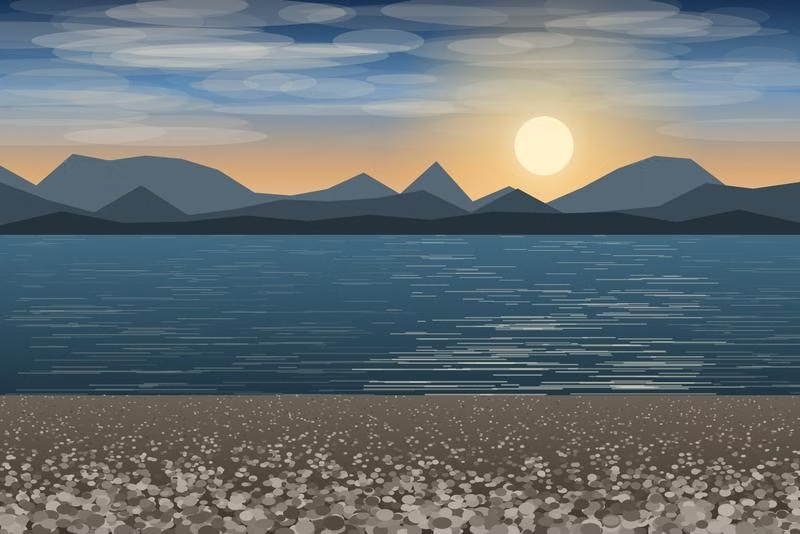
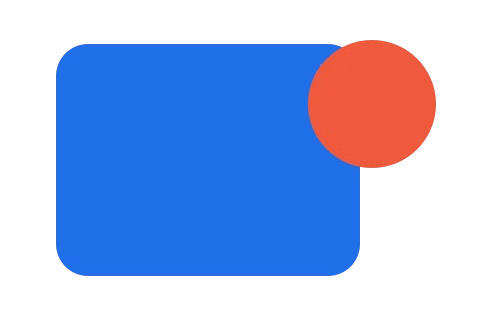
AVIF, on a photo-like sample and a transparent graphic
Both files below are this tool’s own output, at Resizo’s default quality, copied from a measured run rather than drawn for the page.
Where the AVIF facts on this page come from
What AVIF is, how well it compresses and which browsers open it come from the documents below; what Resizo does with an AVIF comes from this site’s own code, and the file sizes in the figure above are Resizo’s own measurement.
| What this establishes | Source | Verified |
|---|---|---|
| What AVIF is and how its container is structured | Alliance for Open Media — AV1 Image File Format (AVIF) | 2026-09-11 |
| Every current major browser opens AVIF | MDN — Image file type and format guide | 2026-10-07 |
| Every current major browser opens AVIF | caniuse — AVIF image format | 2026-10-07 |
Frequently asked questions
Which formats can I convert between?
JPEG, PNG, WebP and AVIF, in any direction. The From menu narrows what the drop zone will accept, so a mismatched file is caught the moment you drop it, and the To menu decides what comes back.
Does converting change the size of the image?
The pixel dimensions stay exactly the same. The file size almost always changes, because each format stores the same picture differently — going from PNG to JPEG on a photograph often cuts the file to a tenth of what it was.
What happens to transparency?
PNG, WebP and AVIF keep an alpha channel. JPEG has none, so when you convert to JPEG the transparent areas are filled with white, or with the colour you pick. If the transparency matters, convert to WebP or stay on PNG.
Does converting lose quality?
Converting to PNG is lossless. Converting to JPEG, WebP or AVIF re-encodes the picture at a sensible default quality, which is visually very close to the original but not bit-identical. Converting the same file back and forth repeatedly will slowly degrade it.
Can I convert an image without uploading it?
Yes — that is the only way this converter works. Your browser opens the file with its own decoder whenever it can and the page loads the encoder, so your file is read, converted and saved by your own device. It is never sent to us, so there is nothing for us to keep, and the converted file carries no EXIF or GPS data because it is written from raw pixels.
What is AVIF?
AVIF stores a still picture using the still-image profile of the AV1 video codec. It usually compresses a photograph tighter than JPEG at a similar visual quality, keeps transparency the way PNG and WebP do, and — see the sources below — is decoded natively by every current major browser.
Is AVIF lossless here?
No. AVIF is written in lossy mode only; this build does not expose AVIF’s lossless option. Quality runs 1 to 100 on AVIF’s own scale, which is not the same scale JPEG or WebP use, so the same number does not mean the same amount of compression. Neither /convert nor /resize offers a quality dial for it — both write AVIF at Resizo’s usual default of 80.
Does AVIF keep transparency?
Yes. An AVIF output keeps an alpha channel whenever the source has one, and that is checked after every encode by reading the finished file’s own header rather than trusting the encoder.
Is AVIF always smaller than WebP or JPEG?
No. AVIF is often smaller than WebP at a comparable quality, but not on every image — the comparison table above states this plainly rather than repeating the usual claim that it always wins.
Does converting a JPEG to AVIF restore quality?
No. Converting only changes how the existing pixels are stored; it cannot add back detail a JPEG’s own compression already discarded. A JPEG re-encoded to AVIF is usually a smaller file of the same picture, never a better one.
What happens to metadata, colour and a 10-bit source, with AVIF?
An AVIF output carries no EXIF, GPS or XMP data and no embedded colour profile, the same as every other re-encode on this site. Colour is converted to standard sRGB, and a 10-bit or 12-bit AVIF source is decoded down to 8-bit, because both the browser’s AVIF decoder and this site’s pipeline work in 8-bit. An HDR source (PQ or HLG) is normalised to an ordinary range by that same decode, and the original dynamic range cannot be recovered afterwards.
Are AVIF files uploaded?
No — the same as every other format here. An AVIF is decoded by the browser’s own built-in decoder and, when you are writing one, encoded by a program this page loads into the tab; your file is read and saved on your own device and never sent anywhere.
Which browsers open AVIF?
Every current major browser does — see the sources below. This site supports Chrome 111, Firefox 111 and Safari 16.4 and later, and where Resizo cannot open an AVIF in the browser at hand it says so as soon as the file is chosen, before the picture is decoded, rather than handing back a blank result.
Why is AVIF slower to write?
AV1, the video codec AVIF borrows its compression from, analyses each block of the picture more exhaustively than JPEG or WebP do, and the encoder here runs on one CPU core in the browser tab rather than across several, because the faster multi-core version needs browser security settings this site does not turn on. The underlying encoder’s own licence notices are published on this site.
What to do next
- Need exact pixel dimensions too? Resize it Resize Image
- Converted and still too big? Compress it Compress Image
- Trim the frame before converting — crop it Crop Image
- Converting an iPhone photo? Use the HEIC tool Convert HEIC
- Converting to share it? Remove the camera data as well Remove Image Metadata
- Need a document instead of an image? Combine the photos into a PDF JPG to PDF
- Ended up with two PDFs and need one? Combine them Merge PDF
- Compress many JPG, PNG and WebP files to a maximum size each, then download them one by one or as a ZIP. Bulk Image Compressor
- Convert many JPEG, PNG, WebP and AVIF files to one format at once, then download them one by one or as a ZIP. Bulk Image Converter
- Make favicon.ico, the PNG icons and an Apple touch icon from one logo in your browser — nothing is uploaded. Favicon & App Icon Generator
- Crop, size and compress a scanned signature for an online form. Signature Resizer
- Crop and size a passport or ID photo to exact pixels, file size, format and DPI. Passport & ID Photo
- Fit an image to exact pixels and a maximum file size in one step — crop or pad, encode, write DPI and check the file before download. Image Size Fitter
- Lay out as many copies of a passport or ID photo as fit on 4 × 6, 5 × 7, Letter or A4 paper at exact physical size, as a JPEG or PDF to print at 100 %. Passport Photo Print Sheet
- Set the print resolution a JPEG or PNG claims, without re-encoding it. Change Image DPI
- See the EXIF, GPS, XMP and colour-profile data stored in a photo without uploading it — the file is read in your browser and never changed. Image Metadata Viewer
You are on the Convert Format tool.